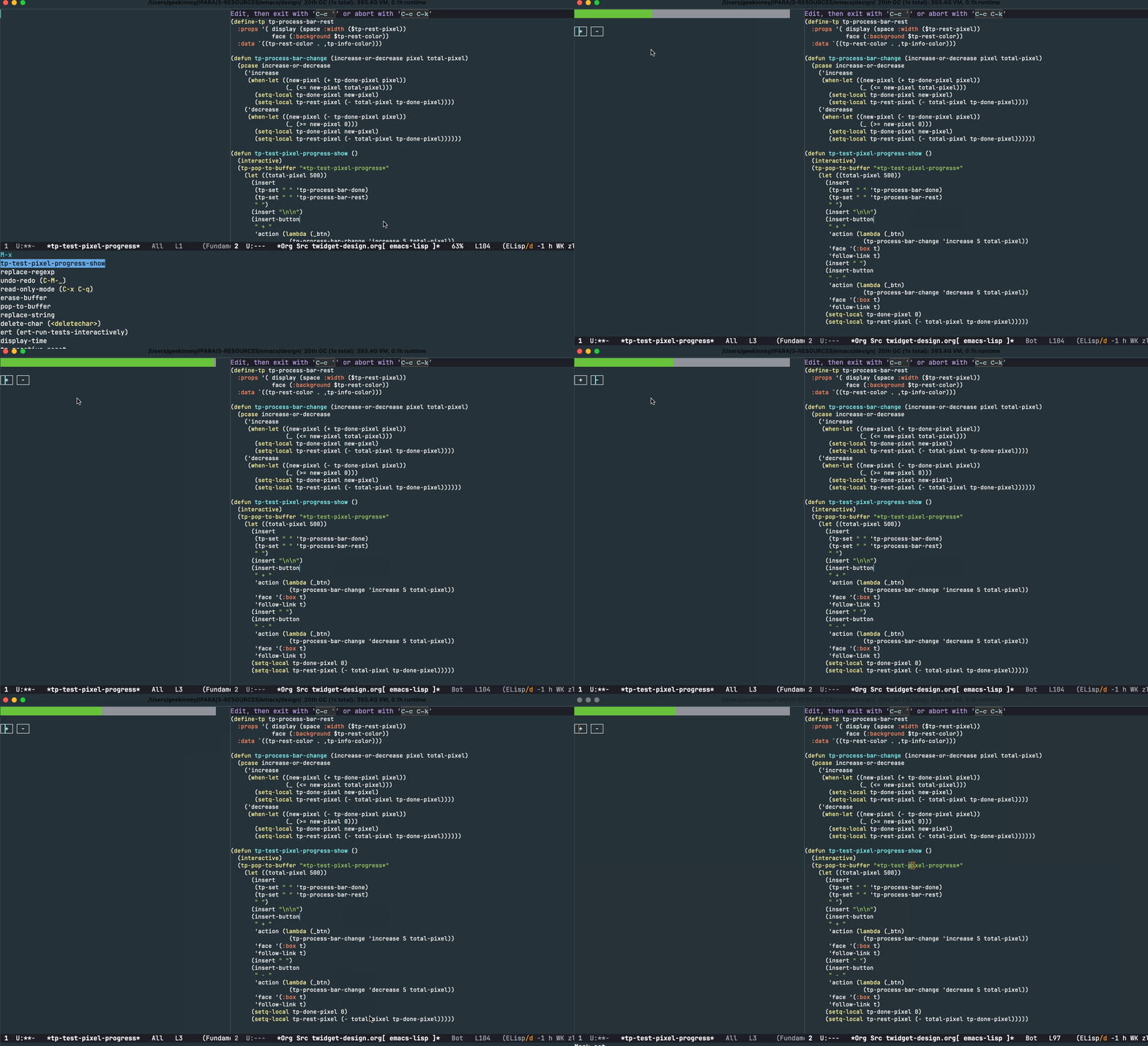
将现代前端框架的响应式编程范式带入 Emacs 文本属性世界
引言
在传统的 Emacs 开发中,每当你想要改变某个属性值时,你需要手动找到所有相关的文本区域,然后逐一更新它们。这种方式不仅容易出错,而且难以维护。
响应式文本属性是 tp.el 库中最具创新性的功能之一。它借鉴了 Vue.js、React 等现代前端框架的响应式编程思想,让 Emacs 的文本属性能够自动响应变量的变化。
想象一下:你只需要定义一次变量与属性的关系,之后无论何时改变变量的值,所有使用该变量的文本区域都会自动更新。这就是响应式文本属性的魔力!
从传统方式到响应式方式
传统方式的痛点
让我们先看看传统方式如何处理动态文本属性:
;; 传统方式:定义一个颜色变量
(defvar my-color "red")

(tp-pop-to-buffer "*tp-test*"
  (insert "Hello World")
  (tp-set 1 12 `(face (:foreground ,my-color)))

  ;; 问题来了:当你想改变颜色时...
  (setq my-color "blue")
  ;; 文本不会自动更新!你必须手动重新应用:
  (tp-set 1 12 `(face (:foreground ,my-color))))
这种方式的问题显而易见:
- 手动追踪:你需要记住哪些文本区域使用了哪些变量
- 容易遗漏:在复杂应用中很容易忘记更新某些区域
- 代码冗余:更新逻辑散落在代码各处
响应式方式的优雅
现在让我们看看响应式方式如何解决这些问题:
;; 响应式方式:定义一个颜色变量
(defvar my-color "red")

;; 定义一个响应式层,使用 $my-color 引用变量
(tp-define-layer 'my-highlight
  '(face (:foreground $my-color)))

;; 应用到文本
(tp-pop-to-buffer "*tp-test*"
  (insert "Hello World")
  (tp-set 1 12 'my-highlight)

  ;; 现在,只需改变变量!
  (setq my-color "blue")
  ;; 神奇的事情发生了:文本自动变成蓝色!
  )
是不是很神奇?让我们深入了解这个强大功能的工作原理。
核心概念
响应式变量
在 tp.el 中,任何以 $ 符号开头的符号都被视为响应式变量。例如:
$my-color→ 引用变量my-color$font-size→ 引用变量font-size$theme-background→ 引用变量theme-background
当你在属性定义中使用这些 $ 前缀的符号时,tp.el 会:
- 自动解析变量的当前值
- 注册一个监听器,监视变量的变化
- 当变量改变时,自动更新所有相关的文本区域
基础用法
第一个响应式层
让我们从一个简单的例子开始:
;; 定义一个全局变量
(defvar highlight-bg "yellow")

;; 定义响应式层
(tp-define-layer 'simple-highlight
  '(face (:background $highlight-bg)))

;; 创建测试缓冲区并应用层
(tp-pop-to-buffer "*tp-test*"
  (insert "这是一段需要高亮的文本")
  (tp-set 1 (point-max) 'simple-highlight)
  ;; => "初始背景色: yellow"
  ;; 改变变量
  (setq highlight-bg "cyan")
  ;; => "更新后背景色: cyan"
  )
多个响应式变量
一个层可以引用多个响应式变量:
;; 定义多个变量
(defvar fg-color "white")
(defvar bg-color "darkGreen")
(defvar underline-color "red")

;; 定义使用多个变量的层
(tp-define-layer 'multi-var-layer
  '(face ( :foreground $fg-color
           :background $bg-color
           :underline (:color $underline-color))))

;; 测试
(tp-pop-to-buffer "*tp-test*"
  (insert "多变量响应式示例")
  (tp-set 1 (point-max) 'multi-var-layer)

  ;; 改变任何一个变量都会触发更新
  (setq fg-color "yellow")      ; 前景色变黄
  (setq bg-color "navy")        ; 背景色变海军蓝
  (setq underline-color "lime") ; 下划线变酸橙绿
  )
进阶功能::data、:compute 和 :watch
tp.el 的响应式系统借鉴了 Vue 的 API,提供了三个强大的关键字:
:data - 定义额外的响应式状态
有时候你需要一些响应式变量,但它们不直接用于 :props 中。这时可以使用 :data。
:data 的主要用途:
- 定义不直接出现在属性中的辅助变量
- 为变量提供初始值
- 与
:compute配合使用
:compute - 计算属性
:compute 让你可以定义派生值——它们的值由其他变量计算得出:
;; 完整的计算属性示例
(tp-define-layer 'computed-greeting
  :props '(display $full-greeting face (:foreground $status-color))
  :data '((user-name . "张三")
          (greeting-prefix . "你好"))
  :compute '((full-greeting (lambda ()
                              (format "%s, %s!欢迎回来。"
                                      greeting-prefix user-name)))
             (status-color (lambda ()
                             (if (string= user-name "管理员")
                                 "red"
                               "green")))))

;; 测试
(tp-pop-to-buffer "*tp-test*"
  (insert "测试文本")
  (tp-set 1 (point-max) 'computed-greeting)
  ;; 初始状态
  (message "full-greeting = %s" full-greeting)
  ;; => "你好, 张三!欢迎回来。"
  (message "status-color = %s" status-color)
  ;; => "green"
  ;; 改变 user-name
  (setq user-name "管理员")
  ;; 计算属性自动更新!
  (message "full-greeting = %s" full-greeting)
  ;; => "你好, 管理员!欢迎回来。"
  (message "status-color = %s" status-color)
  ;; => "red"
  ;; 改变 greeting-prefix
  (setq greeting-prefix "您好")
  (message "full-greeting = %s" full-greeting))
;; => "您好, 管理员!欢迎回来。"
:watch - 监听变量变化
:watch 让你可以在变量改变时执行副作用操作:
;; 带监听器的层
(tp-define-layer 'watched-layer
  :props '(face (:foreground $status-color))
  :data '((status-color . "green"))
  :watch '((status-color
            (lambda (new-val old-val layer-name)
              (message "【%s】颜色从 %s 变为 %s"
                       layer-name old-val new-val)))))

;; 测试
(tp-pop-to-buffer "*tp-test*"
  (insert "测试文本")
  (tp-set 1 (point-max) 'watched-layer)

  ;; 改变颜色 - 触发监听器
  (setq status-color "yellow")
  ;; 消息: "【watched-layer】颜色从 green 变为 yellow"

  (setq status-color "red"))
;; 消息: "【watched-layer】颜色从 yellow 变为 red"
:watch 的典型用途:
- 记录日志
- 更新外部状态
- 触发通知
- 执行清理操作
完整实战示例
示例一:动态颜色状态指示器
这个示例展示如何创建一个根据状态自动变色的指示器:
(tp-layer-reset)

;; 定义状态颜色变量
(defvar status-color "gray")
(defvar status-text "未开始")

;; 定义状态指示器层
(tp-define-layer 'status-indicator
  '(face (:background $status-color) display $status-text))

;; 定义状态更新函数
(defun set-status (status)
  "设置状态,自动更新颜色和文本"
  (pcase status
    ('pending  (setq status-color "gray"   status-text "待处理"))
    ('running  (setq status-color "blue"   status-text "运行中"))
    ('success  (setq status-color "green"  status-text "成功"))
    ('warning  (setq status-color "orange" status-text "警告"))
    ('error    (setq status-color "red"    status-text "错误"))))

;; 测试状态指示器
(tp-pop-to-buffer "*tp-test*"
  (insert "状态")
  (tp-set 1 (point-max) 'status-indicator)

  ;; 模拟状态变化
  (set-status 'pending)
  (message "状态: %s, 颜色: %s" status-text status-color)
  ;; => "状态: 待处理, 颜色: gray"

  (set-status 'running)
  (message "状态: %s, 颜色: %s" status-text status-color)
  ;; => "状态: 运行中, 颜色: blue"

  (set-status 'success)
  (message "状态: %s, 颜色: %s" status-text status-color))
;; => "状态: 成功, 颜色: green"
示例二:主题切换系统
这个示例展示如何创建一个可切换的主题系统:
(tp-layer-reset)

;; 定义主题颜色变量
(defvar keyword-color nil)
(defvar string-color nil)

;; 定义主题相关的响应式层
(tp-define-layer 'themed-keyword
  '(face (:foreground $keyword-color :weight bold)))

(tp-define-layer 'themed-string
  '(face (:foreground $string-color)))

;; 定义主题切换函数
(defun switch-to-dark-theme ()
  "切换到深色主题"
  (interactive)
  (setq keyword-color "light blue"
        string-color "green")
  (message "已切换到深色主题"))

(defun switch-to-light-theme ()
  "切换到浅色主题"
  (interactive)
  (setq keyword-color "blue"
        string-color "dark green")
  (message "已切换到浅色主题"))

;; 测试主题切换
(tp-pop-to-buffer "*tp-test*"
  (insert "(defun hello () \"greeting\")")

  ;; 应用不同的主题层
  (tp-match-set "defun" 'themed-keyword)
  (tp-regexp-set "\".+\"" 'themed-string)

  (switch-to-dark-theme)
  ;; 初始是深色主题
  (message "关键字颜色: %s" keyword-color)
  (message "字符串颜色: %s" string-color)

  ;; 切换到浅色主题
  (switch-to-light-theme)
  ;; 文本自动更新!
  (message "关键字颜色: %s" keyword-color)
  (message "字符串颜色: %s" string-color))
匿名响应式层
除了使用 tp-define-layer 定义命名层,你还可以直接在属性列表中使用响应式变量。tp.el 会自动为这些匿名层生成唯一的名称:
(tp-layer-reset)

(defvar inline-color "purple")

(tp-pop-to-buffer "*tp-test*"
  (insert "匿名响应式层示例")

  ;; 直接使用 $inline-color,无需预先定义层
  (tp-set 1 (point-max) '(face (:foreground $inline-color)))

  ;; 文本现在是紫色的
  (message "颜色: %s" (plist-get (tp-at 1 'face) :foreground))
  ;; => "purple"

  ;; 改变变量
  (setq inline-color "orange")

  ;; 文本自动变成橙色
  (message "颜色: %s" (plist-get (tp-at 1 'face) :foreground)))
;; => "orange"
匿名响应式层适用于简单的场景,当你不需要在多个地方复用同一个层定义时。
总结
tp.el 的响应式文本属性功能为 Emacs 开发带来了现代化的响应式编程体验。通过使用 $ 前缀的响应式变量、:data 定义状态、:compute 计算派生值、:watch 监听变化,你可以构建出更加动态、易于维护的文本属性系统。
核心要点:
- 响应式变量:使用
$前缀引用变量 - :props:定义包含响应式变量的属性
- :data:定义额外的响应式状态和初始值
- :compute:定义由其他变量派生的计算属性
- :watch:监听变量变化并执行副作用
- 自动更新:改变变量值,所有相关文本自动更新