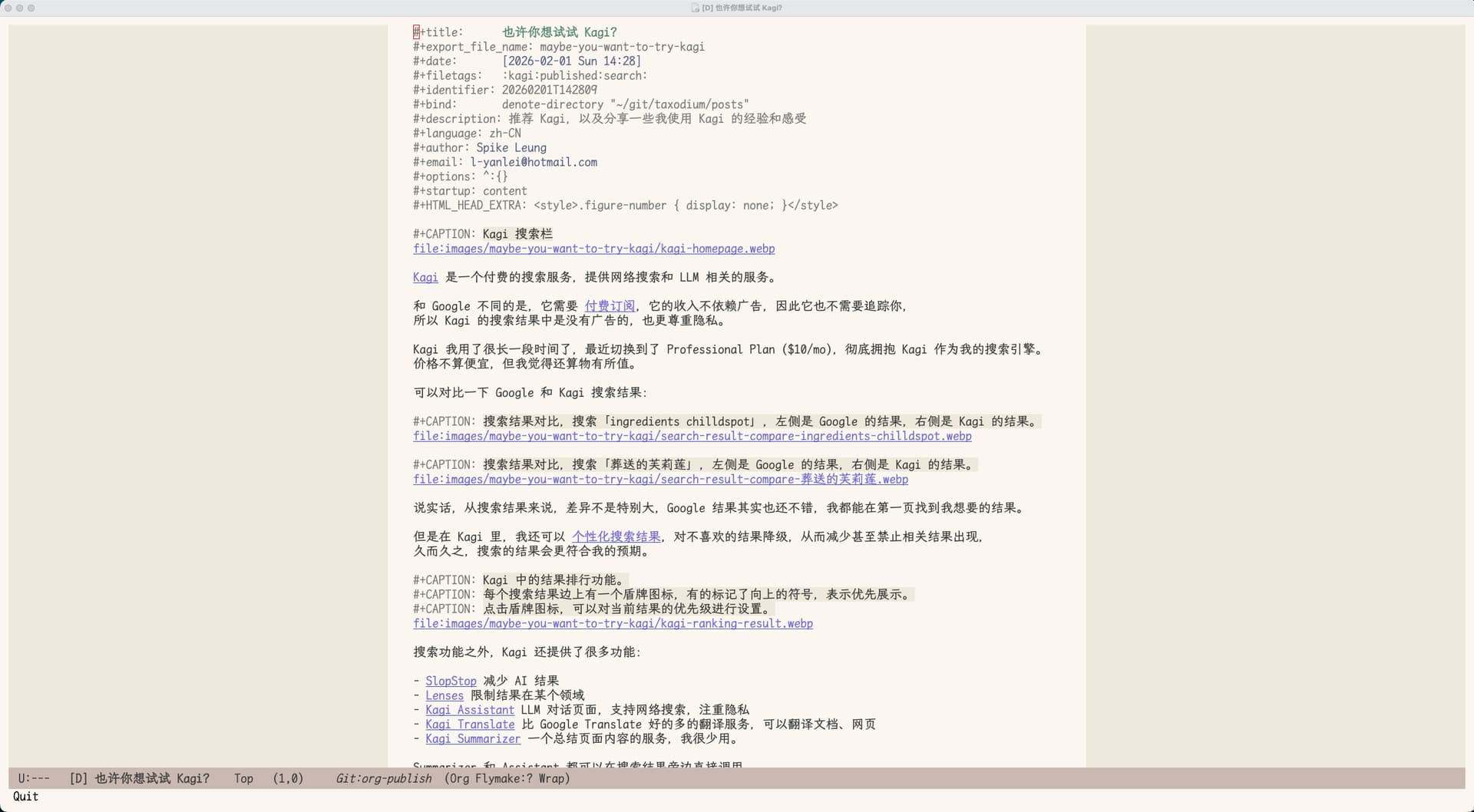
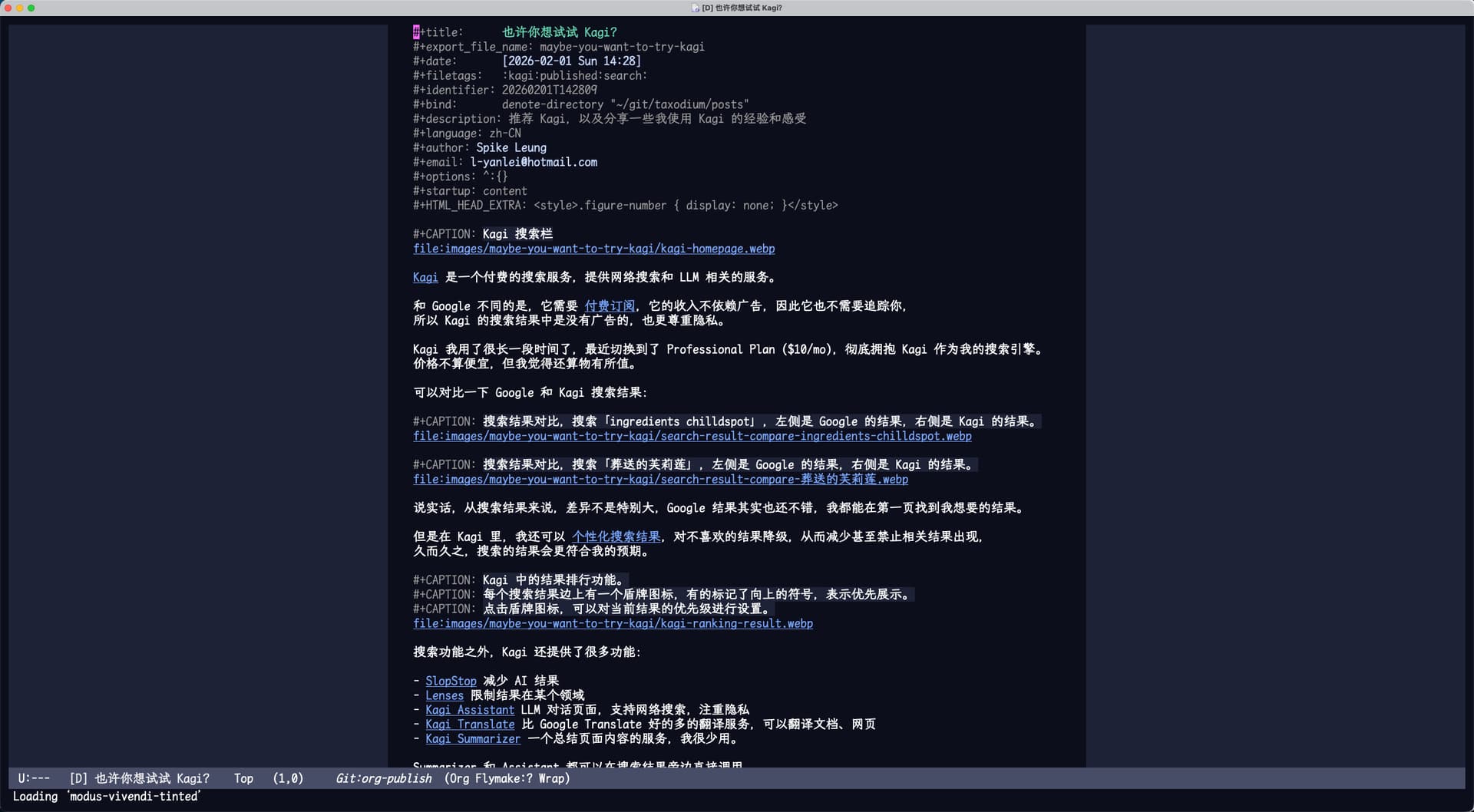
之前一直使用 writeroom-mode + variable-pitch-mode (内置)实现在 org-mode 居中显示内容。 同时,还需要针对 org-mode 中不同的 face 进行美化设置(使用了 Beautifying Org Mode in Emacs 这个文章中的方法)才能达到可用效果。但这种方法有两个缺点:
- 缩放buffer时,文字排版会乱。使用
writeroom-mode时,文本的宽度不会跟随缩放比例正确调整,而且fixed-pitch的字体大小始终不变。 - corfu 在org 代码块中的弹窗也会使用
variable-pitch字体。
为了解决上面的问题,我使用了olivetti-mode 替换 writeroom-mode,mixed-pitch 代替 variable-pitch-mode。还使用了 hide-mode-line 在 prose-mode 开启时自动隐藏 mode-line。
最终的 prose-mode 定义如下:
(define-minor-mode prose-mode
  "Set up a buffer for prose editing.
This enables or modifies a number of settings so that the
experience of editing prose is a little more like that of a
typical word processor."
  :init-value nil :lighter " Prose" :keymap nil
  (if prose-mode
      (progn
        (when (fboundp 'olivetti-mode)
          (olivetti-mode 1))
        (when (fboundp 'hide-mode-line-mode)
          (hide-mode-line-mode 1))
        (setq truncate-lines nil)
        (setq word-wrap t)
        (setq word-wrap-by-category t)
        (setq cursor-type 'bar)
        (setq-local blink-cursor-interval 0.6)
        (setq-local show-trailing-whitespace nil)
        (setq-local electric-pair-mode nil)
        (visual-line-mode 1))
    (kill-local-variable 'truncate-lines)
    (kill-local-variable 'word-wrap)
    (kill-local-variable 'word-wrap-by-category)
    (kill-local-variable 'cursor-type)
    (kill-local-variable 'blink-cursor-interval)
    (kill-local-variable 'show-trailing-whitespace)
    (kill-local-variable 'electric-pair-mode)
    (visual-line-mode -1)
    (when (fboundp 'hide-mode-line-mode)
      (hide-mode-line-mode -1))
    (when (fboundp 'olivetti-mode)
      (olivetti-mode -1))))

;; Mixing `variable-pitch' and `fixed-pitch' fonts in the same buffer
(use-package mixed-pitch
  :hook (org-mode . prose-mode)
  :hook (org-mode . mixed-pitch-mode)
  :config
  ;; Fix the `nerd-icons-corfu' display issue
  (with-eval-after-load 'corfu
    (define-advice corfu--make-buffer (:around (oldfun &rest args))
      (let ((face-remapping-alist nil))
        (apply oldfun args)))))
然后只要设置好字体就可以了, 不需要单独修改 org-mode 的 faces:
(set-face-attribute 'variable-pitch nil :font "Helvetica Neue-15:regular" )
(set-face-attribute 'fixed-pitch nil :font "Monaco-15:regular")

;; 设置默认英文字体
(add-to-list 'default-frame-alist (cons 'font "Monaco-15:regular"))
;; 设置默认中文字体
(set-fontset-font t 'han "FZLiuGongQuanKaiShuJF")
;; 只放大中文字体,保证中英文在 org 表格中可以对齐
(add-to-list 'face-font-rescale-alist '("FZLiuGongQuanKaiShuJF" . 1.2))
另外,我还启用了 Emacs 内置的 window-divider-mode,用于显示窗口的分割线。在buffer的左边显示文档长度标记(indicate-buffer-boundaries-left)。设置如下:
(use-package emacs
  :custom
  (window-divider-default-bottom-width 2)
  (window-divider-default-right-width 2)
  (window-divider-default-places t)
  :hook (((prog-mode text-mode) . indicate-buffer-boundaries-left)
         (after-init . window-divider-mode))
  :config
  (defun indicate-buffer-boundaries-left ()
    (setq indicate-buffer-boundaries 'left)))
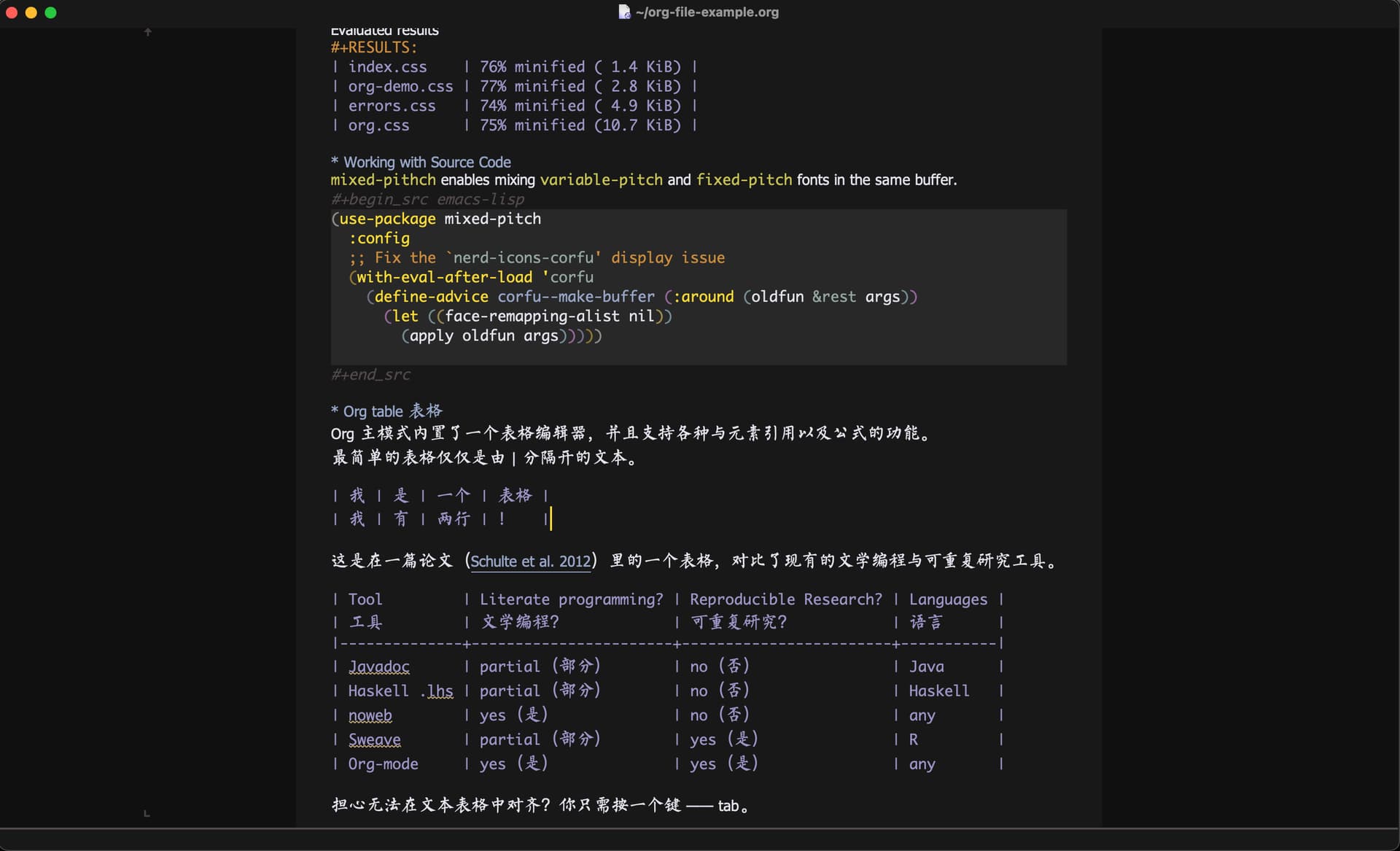
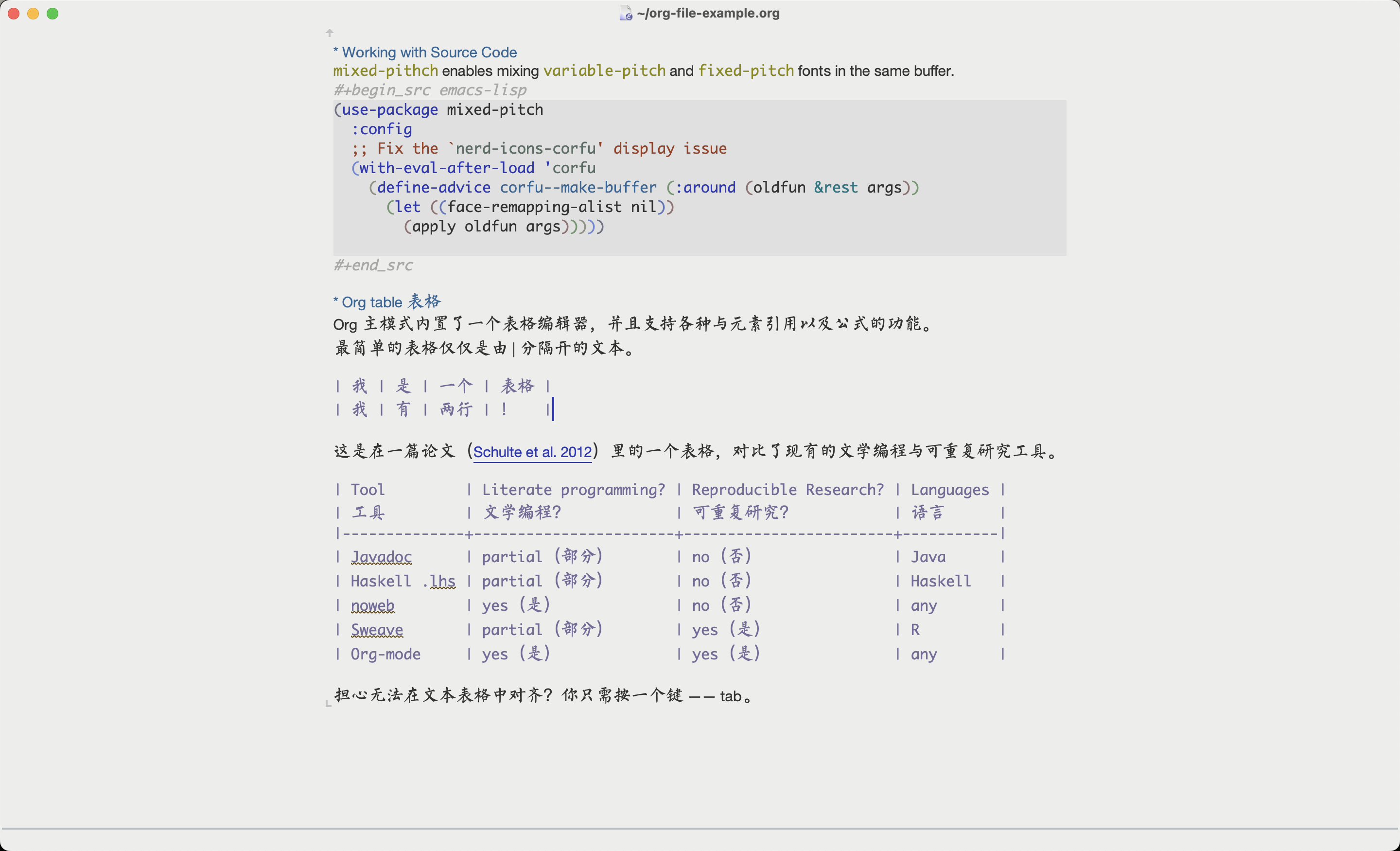
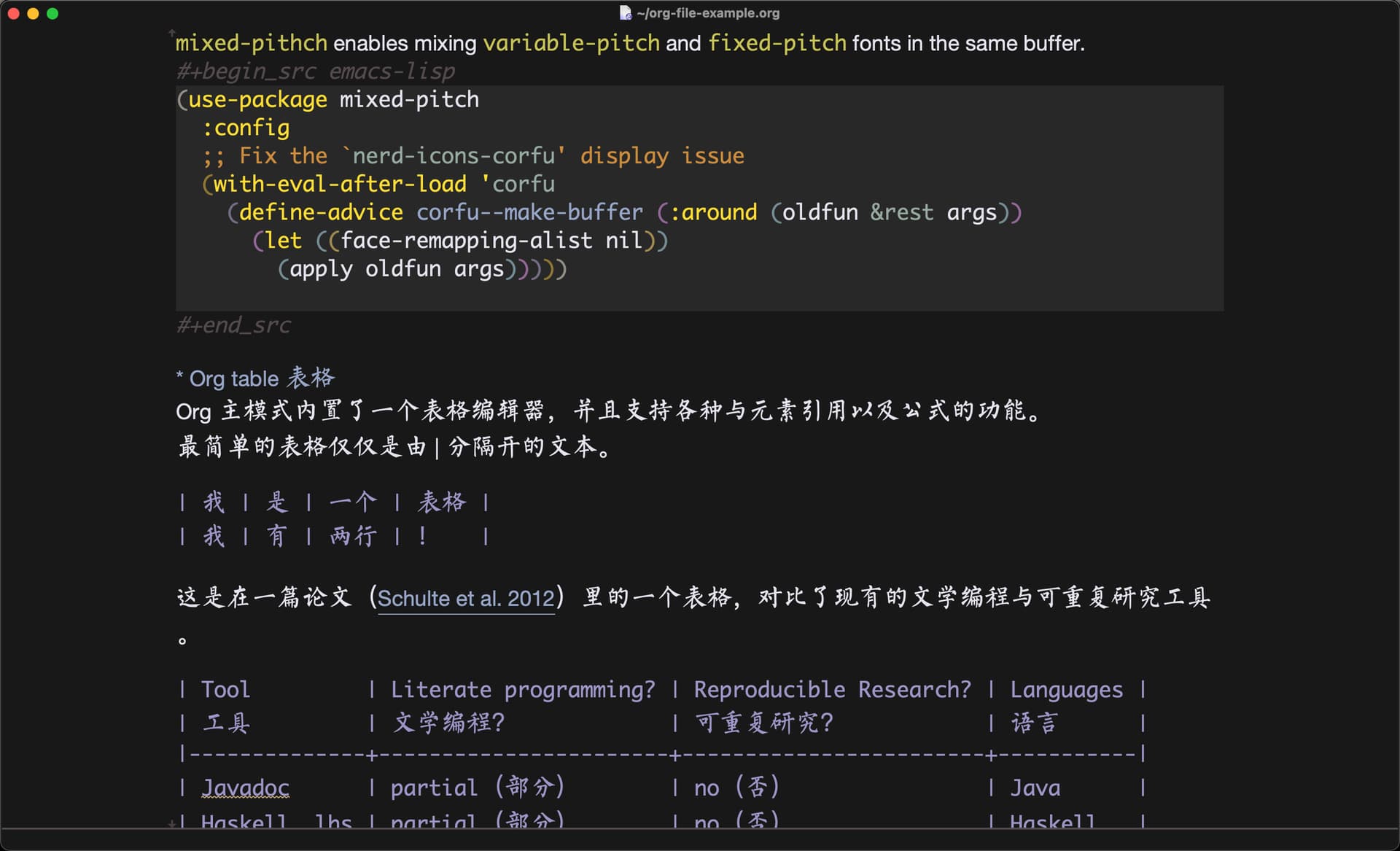
效果如下:
Dark-mode:
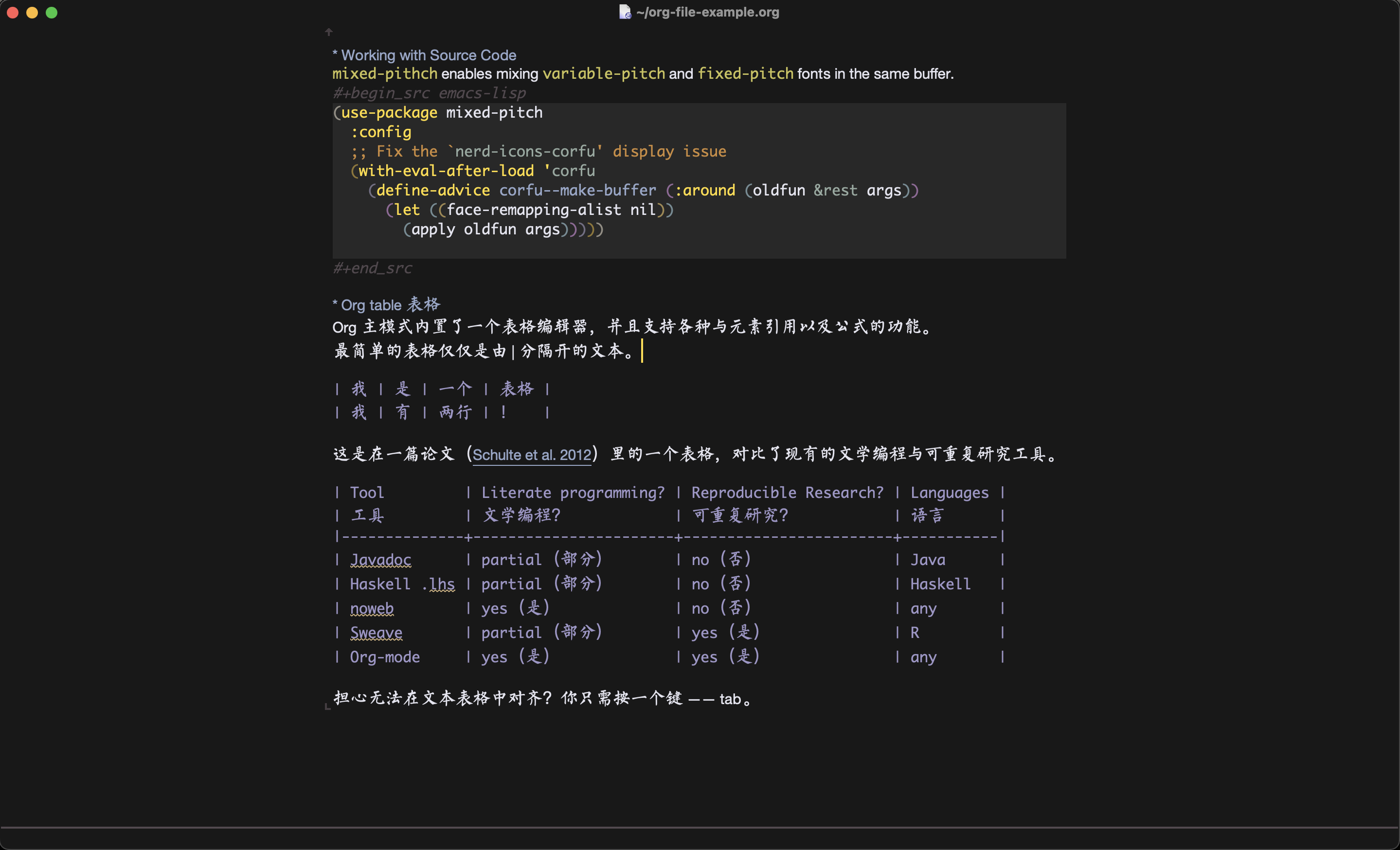
Light-mode:
这是缩放后的效果(每行显示字符数不会变):
这是我的个人 Emacs 配置:.emacs.d/init.el at master · Eason0210/.emacs.d · GitHub