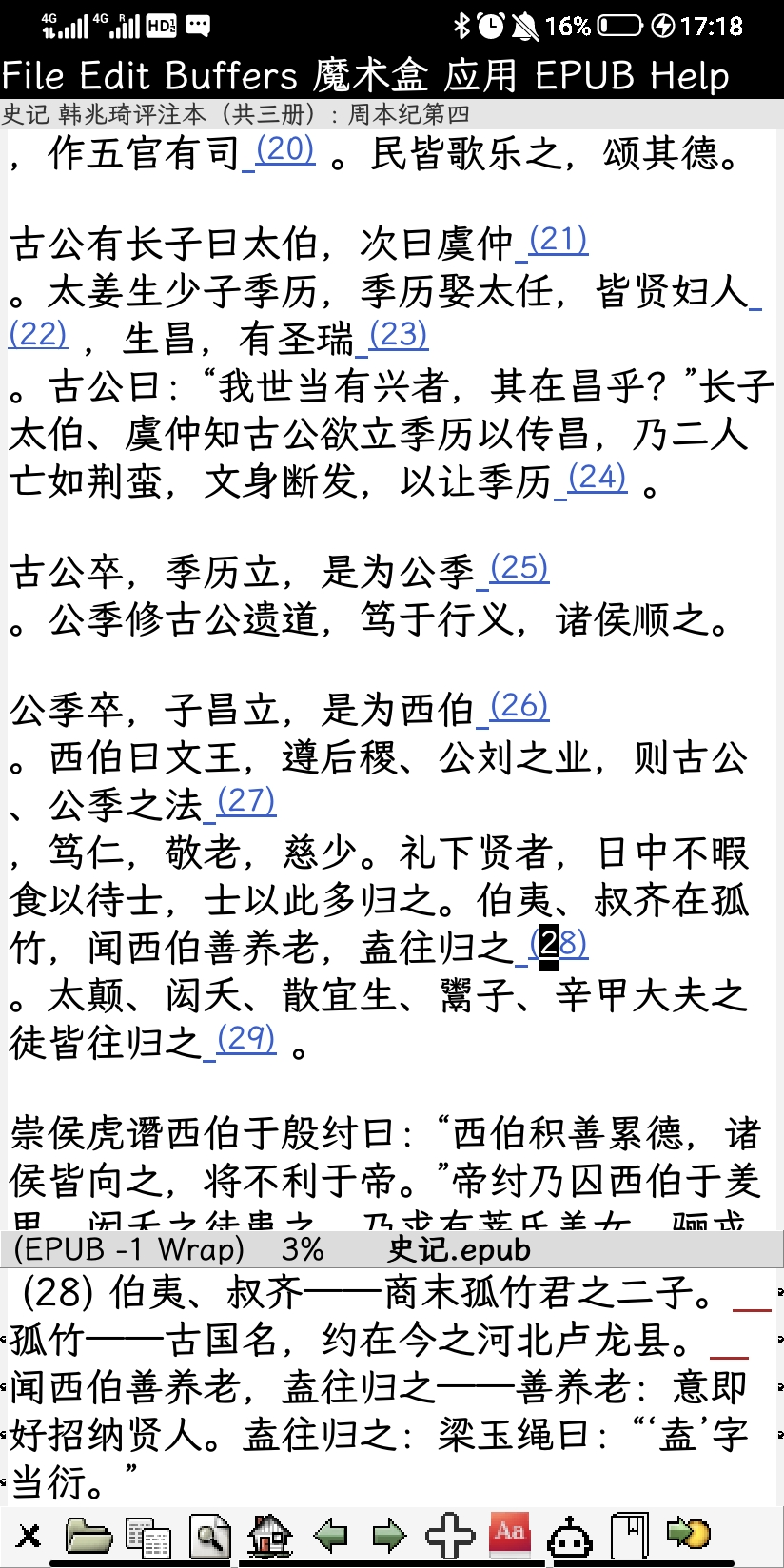
原先在 nov-mode 中点击正文里的注释链接,会跳到注释,然后点击注释的链接又会跳回原文,这样反复跳跃很影响阅读体验。我自己能写简单的 elisp 但对 epub 和 nov.el 的具体原理不了解,于是用 Gemini 3 试了一下。
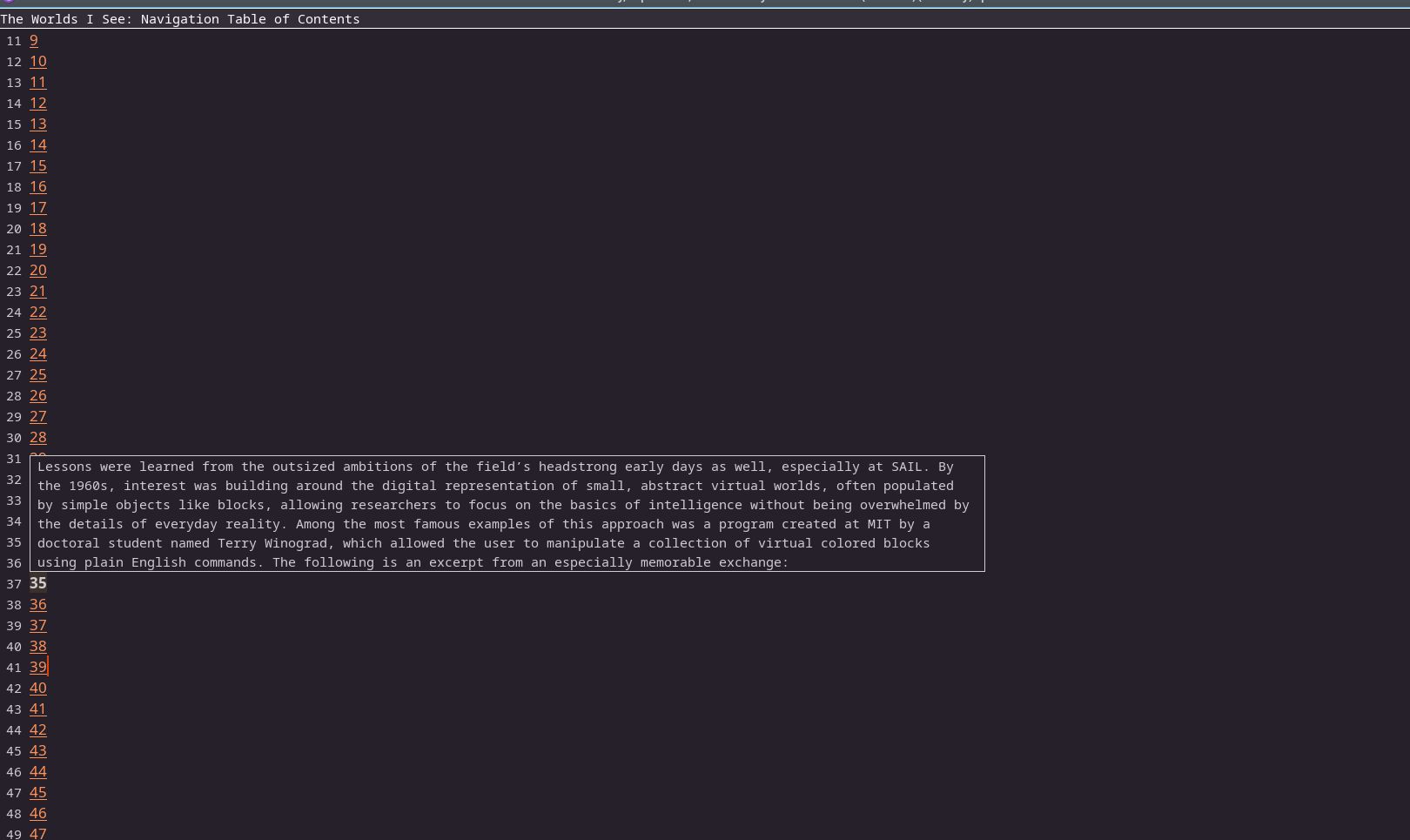
下面代码会让 nov-mode 直接在 echo area 中预览注释的内容,而目录页的链接直接跳转不会预览。另外让 Gemini 写了一个函数作为预览行为的开关(有时在非目录页也需要跳转而非预览)。大概交互了五次之后就彻底实现,目前测试了五本电子书,未发现问题,非常满意。(不过后来用gemini 试了一些更复杂的 elisp 任务又不行了orz)
(with-eval-after-load 'nov
  ;; 1. DEFINITION: The Toggle Variable
  (defvar nov-enable-link-peeking t
    "When non-nil, preview internal links in the minibuffer instead of jumping.
This is automatically disabled when viewing the Table of Contents.")

  ;; 2. COMMAND: Toggle Function
  (defun nov-toggle-link-peeking ()
    "Toggle the peeking behavior for internal links."
    (interactive)
    (setq nov-enable-link-peeking (not nov-enable-link-peeking))
    (message "Link peeking %s" (if nov-enable-link-peeking "enabled" "disabled")))

  ;; 3. HELPER: The Smart Content Fetcher
  (defun nov-content-at-target (filename target)
    "Retrieve text content from FILENAME at anchor TARGET.
Smartly handles duplicates by ignoring self-referencing links (source anchors)
while accepting back-links (target anchors)."
    (let* ((current-path (cdr (aref nov-documents nov-documents-index)))
           (directory (file-name-directory current-path))
           (full-path (if (or (null filename) (string= filename ""))
                          current-path
                        (if (file-name-absolute-p filename)
                            filename
                          (file-truename (nov-make-path directory filename))))))
      (when (file-exists-p full-path)
        (with-temp-buffer
          (insert-file-contents full-path)
          (let* ((dom (libxml-parse-html-region (point-min) (point-max)))
                 ;; A "real" target has the ID but is NOT a link to that same ID
                 (is-real-target-p
                  (lambda (node)
                    (and (equal (dom-attr node 'id) target)
                         (let ((href (dom-attr node 'href)))
                           (or (null href)
                               (not (string-suffix-p (concat "#" target) href)))))))
                 (node (seq-find is-real-target-p (dom-search dom is-real-target-p))))

            (when node
              ;; If the node is inline, find its block-level parent
              (when (memq (dom-tag node) '(a span sup sub em strong i b font small))
                (setq node
                      (or (seq-find (lambda (block)
                                      (dom-search block is-real-target-p))
                                    (append (dom-by-tag dom 'li)
                                            (dom-by-tag dom 'aside)
                                            (dom-by-tag dom 'p)
                                            (dom-by-tag dom 'div)
                                            (dom-by-tag dom 'dd)))
                          node)))
              (replace-regexp-in-string "[ \t\n]+" " " (dom-texts node " "))))))))

  ;; 4. OVERRIDE: The Logic to Check TOC and Toggle State
  (defun nov-browse-url (&optional mouse-event)
    "Follow external links, or preview internal footnotes if enabled and valid."
    (interactive (list last-nonmenu-event))
    (mouse-set-point mouse-event)
    (let ((url (get-text-property (point) 'shr-url)))
      (when (not url)
        (user-error "No link under point"))

      ;; LOGIC CHECK:
      ;; 1. Is peeking enabled?
      ;; 2. Are we currently OUTSIDE the Table of Contents?
      ;; 3. Is it an internal link?
      (let* ((curr-doc (aref nov-documents nov-documents-index))
             (curr-id (car curr-doc))
             (is-toc (eq curr-id nov-toc-id)) ;; nov.el specific check
             (should-peek (and nov-enable-link-peeking
                               (not is-toc)
                               (not (nov-external-url-p url)))))

        (if (not should-peek)
            ;; STANDARD BEHAVIOR (Jump)
            (if (nov-external-url-p url)
                (browse-url url)
              (apply 'nov-visit-relative-file (nov-url-filename-and-target url)))

          ;; PEEK BEHAVIOR
          (seq-let (filename target) (nov-url-filename-and-target url)
            (let ((preview-text (and target (nov-content-at-target filename target))))
              (if preview-text
                  (message "%s" preview-text)
                ;; Fallback to jump if peek fails
                (apply 'nov-visit-relative-file (list filename target))))))))))
 我个人没有这个需求,因为我一般是在手机上看书,不用鼠标。但是或许你可以把代码贴上来,让有需要的人参考一下?