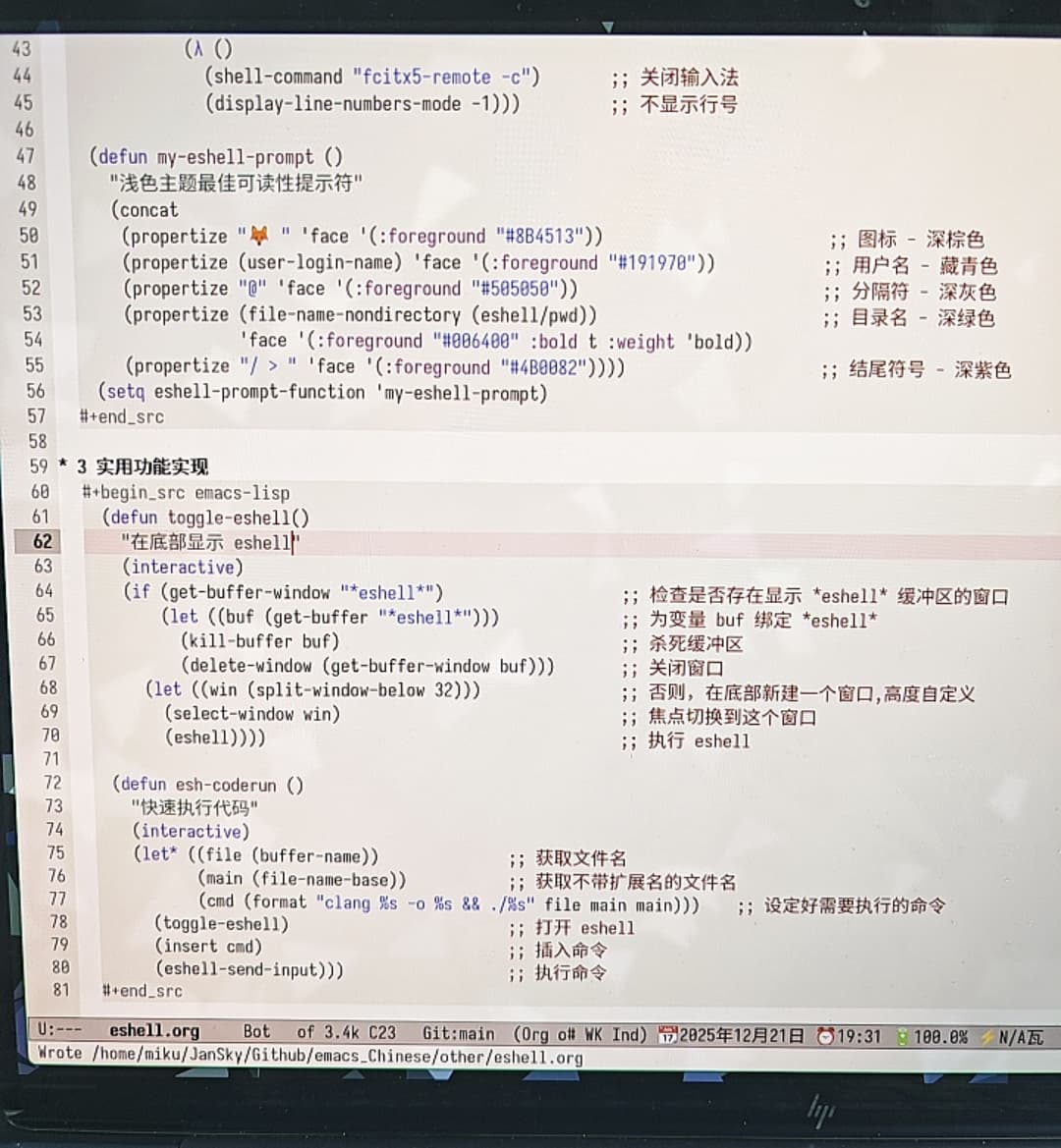
把官方文档中一些新手同志们能用到的方法统计了出来,最后自己实现了两个小小的插件功能供大家参考,方便新手学习 eshell
还有更多的教程正在制作中,梦想是为 emacs 在中文互联网提供优质的中文教程 
把官方文档中一些新手同志们能用到的方法统计了出来,最后自己实现了两个小小的插件功能供大家参考,方便新手学习 eshell
还有更多的教程正在制作中,梦想是为 emacs 在中文互联网提供优质的中文教程
希望楼主能实现梦想, 每次看到这些写用org写成的文章, 散落在各处, 需要转换成html阅读, 我都会想, 就不能有个以org-mode为前端的网站, 可以直接在org-mode中阅读, 在org-mode中直接搜索以org写成的内容
梦想是必须得为org-mode做那么一个站点出来
我觉得 org 挺好用的,因为代码可以直接在 org 里执行,很方便做笔记 
感觉 eshell-coderun 更适合用 M-x compile 来代替?
补充几个 eshell 小命令:
;;;; clear 清空 buffer
;;; eshell/clear
;; (eshell/clear &optional CLEAR-SCROLLBACK)
;; add filter-args, the CLEAR-SCROLLBACK should be `t' by default
(advice-add 'eshell/clear :filter-args
            (lambda (args) (if (null args) '(t) args)))

;;;; 在 eshell 里面显示图片
(defun eshell/imgcat (&rest args)
  "Display IMAGES in eshell.

Ref: https://emacs-china.org/t/imgcat-eshell/3439"
  (if eshell-in-pipeline-p
      (error "Elisp function does not support piped input. ")
    (eshell-eval-using-options
     "imgcat" args
     '((nil "width"      t   width      "width of image(s)")
       (nil "height"     t   height     "height of image(s)")
       (nil "max-width"  t   max-width  "max width of image(s) [default 400]")
       (nil "max-height" t   max-height "max height of image(s)")
       (?h  "help"       nil nil        "show this usage screen")
       :show-usage
       :usage "[OPTION] IMAGE...
Show IMAGE(s) file in eshell. ")
     (let ((property ()))
       (setf (cl-getf property :max-width) (string-to-number (or max-width "400")))
       (when max-height (push-plist :max-height (string-to-number max-height) property))
       (when width      (push-plist :width      (string-to-number width)      property))
       (when height     (push-plist :height     (string-to-number height)     property))
       (if (null args)
           (eshell-show-usage "image" nil)
         (dolist (img (eshell-flatten-list args))
           (eshell-printn
            (propertize img 'display (apply #'create-image (expand-file-name img)
                                            nil nil property)))))))))

;;;; M-x eshell 的时候不复用 buffer 而是打开新的 eshell
(defun eshell--buffer-name-p ()
  "Test if current buffer follows *eshell*[DIR]<> file pattern. "
  (string-match-p (rx (seq bol
                           "*eshell*[" (* (any ascii nonascii "/" ":")) "]"
                           (? "<" (any digit) ">")
                           eol))
                  (buffer-name)))

(defun eshell--generate-buffer-name ()
  "Generate eshell buffer name.
Return a string as buffer name like *eshell*[DIR]<> "
  (rename-buffer
   (if (emojishell-remote-p)
       (format "*eshell*[ssh:%s]"
               (file-name-nondirectory (directory-file-name default-directory)))
     (format "*eshell*[%s]"
             (file-name-nondirectory (directory-file-name default-directory))))
   t))

;;; eshell
(defun eshell--advice (fn &optional arg)
  "Make a new eshell buffer or switch to eshell buffer of same dir. "
  (if arg (funcall fn arg)
    (let* ((cwd  (file-truename default-directory))
           (buf  (cl-find-if (lambda (buf)
                               (with-current-buffer buf
                                 (and (derived-mode-p 'eshell-mode)
                                      (string= cwd (file-truename default-directory)))))
                             (buffer-list))))
      (if buf (switch-to-buffer buf)
        (funcall fn 'N)
        (rename-buffer (eshell--generate-buffer-name))))))
(advice-add 'eshell :around 'eshell--advice)

;;; eshell/cd
(advice-add 'eshell/cd :after
            (lambda (&rest r)
              (when (eshell--buffer-name-p)
                (rename-buffer (eshell--generate-buffer-name)))))

;;;; macOS 切换到 orb 环境
;; Use OrbStack
(defun eshell/orb (&rest args)
  (if args
      (eshell-command (string-join (cons "orb" (mapcar 'eshell-quote-argument args)) " "))
    (eshell/cd
     (format "/ssh:RyoOrb:/mnt/mac/%s" (file-truename default-directory)))))