我在 Emacs 里用 skeeto/elfeed: An Emacs web feeds client 结合 remyhonig/elfeed-org: Configure the Elfeed RSS reader with an Orgmode file 来阅读订阅流。
elfeed-org 用一个 org 文件管理所有的订阅流,但是记录的订阅流链接往往都是 XML 页面链接,
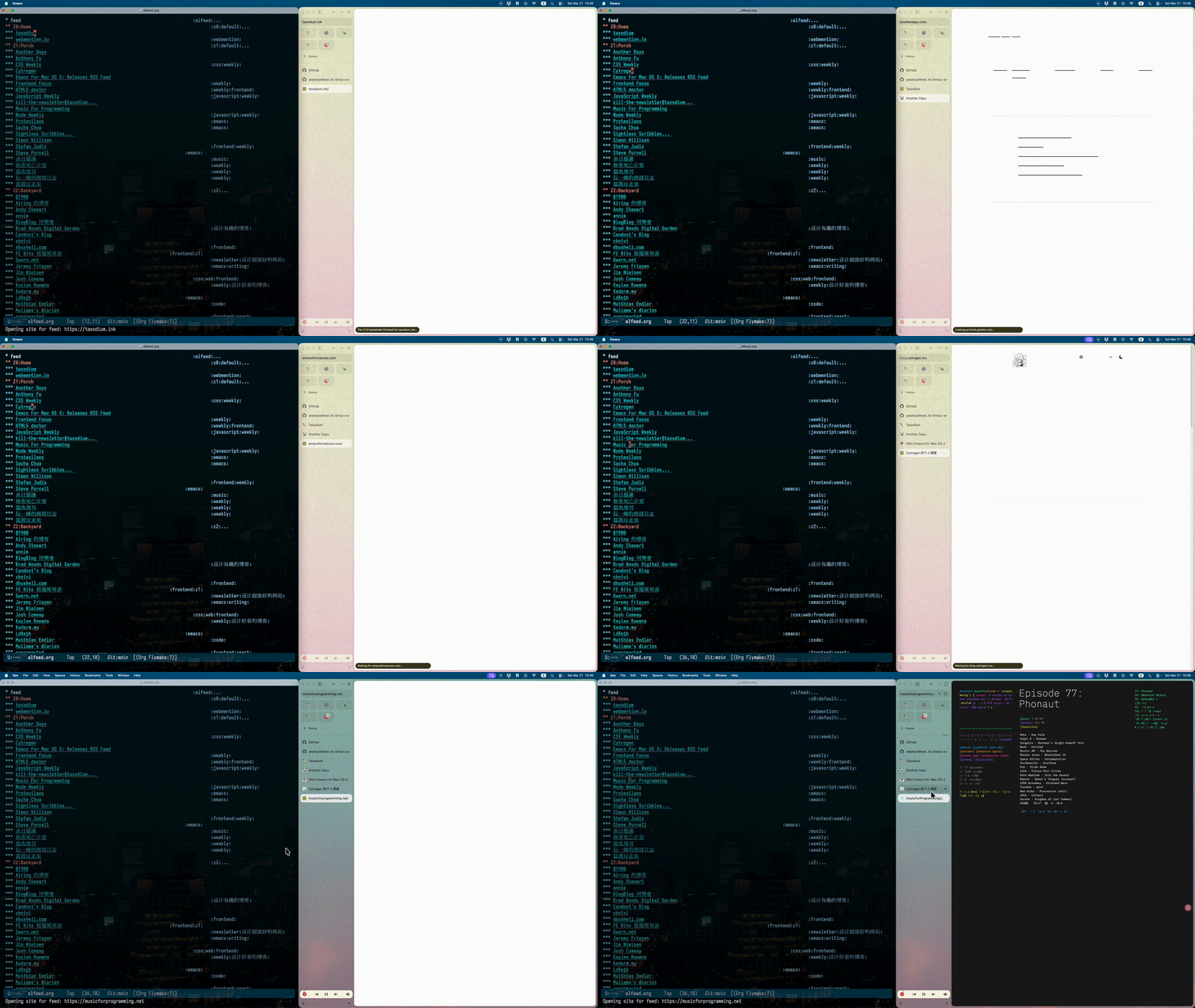
我更希望点击的时候是跳转到博客主页而不是 XML 页面,所以我写了个方法,
从 XML 链接中解析域名后再跳转。
效果:
(如果 gif 图看不清,可以右键在新 tab 打开)
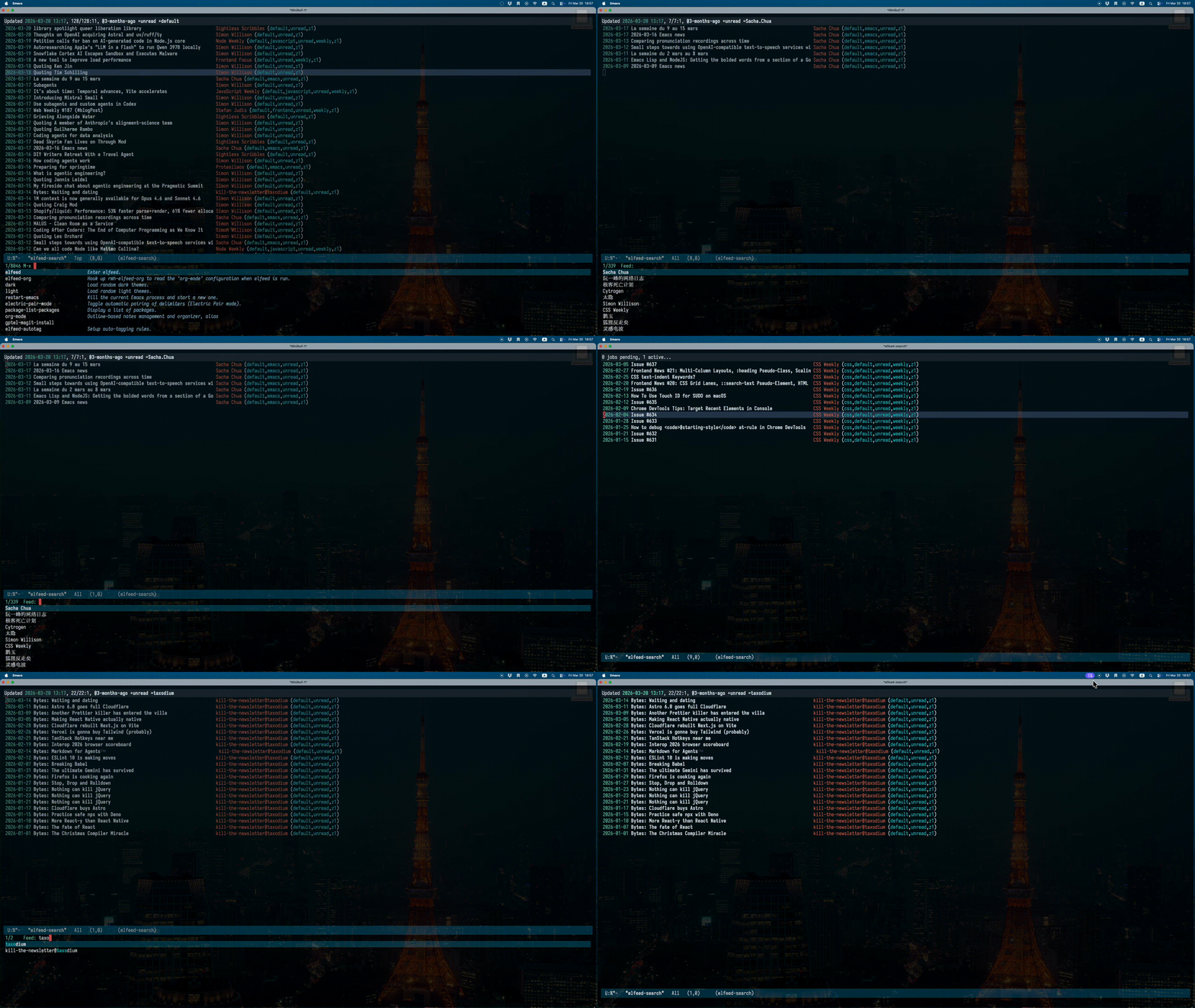
elfeed 本身有丰富的过滤条件,我最常用的是过滤订阅流的名字,但现在我有 300 多个订阅流,我记不住那么名字,所以结合 consult,写个了 consult-elfeed 方法,读取所有订阅流的名字作为选项,然后将它们应用为过滤条件,同时更新 elfeed,这样我就可以选一个订阅流并预览它们的文章列表了。
效果:
完整代码
;;; init-elfeed.el --- elfeed config -*- lexical-binding: t -*-
;;; Commentary:
;;; Code:


(defconst spike-leung/elfeed-org-files "~/.emacs.d/elfeed.org"
  "My elfeed org files path.")


(use-package elfeed
  :custom
  (elfeed-search-filter "@3-months-ago +unread +default"))

(use-package elfeed-org
  :hook ((after-init . elfeed-org))
  :init (setq rmh-elfeed-org-files (list spike-leung/elfeed-org-files)))

(use-package elfeed-autotag
  :hook (after-init . elfeed-autotag)
  :init
  (setq elfeed-autotag-files (list spike-leung/elfeed-org-files)))


(defun spike-leung/org-open-rss-feed-as-site-in-elfeed-org-files (orig-fun &rest args)
  "Advice for `org-open-at-point' to redirect RSS links only in a specific file."
  (let* ((element (org-element-context))
         (link (and (eq (org-element-type element) 'link)
                    (org-element-property :raw-link element))))
    (if (and buffer-file-name
             (string-equal (expand-file-name (buffer-file-name))
                           (expand-file-name spike-leung/elfeed-org-files))
             link
             (string-match-p (rx (or "rss" "feed" "atom" "xml")) link))
        (let* ((url-parts (url-generic-parse-url link))
               (scheme (url-type url-parts))
               (host (url-host url-parts))
               (site-url (concat scheme "://" host)))
          (message "Opening site for feed: %s" site-url)
          (browse-url site-url))
      (apply orig-fun args))))

(advice-add 'org-open-at-point :around #'spike-leung/org-open-rss-feed-as-site-in-elfeed-org-files)


(defconst spike-leung/elfeed-search-filter "@3-months-ago +unread"
  "Query string filtering shown entries.")

(defun spike-leung/get-feed-candidates (&optional level)
  "Extract headings title from `rmh-elfeed-org-files' as consult candidates.
If LEVEL exist, filter heading which level is greater or equal LEVEL."
  (mapcan
   (lambda (elfeed-org-file)
     (with-current-buffer (or (find-buffer-visiting elfeed-org-file)
                              (find-file-noselect elfeed-org-file))
       (delq nil
             (org-element-map (org-element-parse-buffer 'headline) 'headline
               (lambda (hl)
                 ;; property 的值可以在这里找: https://orgmode.org/worg/dev/org-element-api.html
                 (when (or (null level) (>= (org-element-property :level hl) level))
                   (let* ((raw-title (org-element-property :raw-value hl))
                          (title (org-link-display-format raw-title))
                          (annotation (org-entry-get hl "description"))
                          (feed-url (when (string-match org-link-bracket-re raw-title)
                                      (match-string 1 raw-title))))
                     (list :items (list title) :feed-url feed-url :annotation annotation))))
               nil))))
   rmh-elfeed-org-files))

(defun spike-leung/elfeed-preview-state (state candidate)
  "Return consult state function for live `elfeed' preview.
See `consult--with-preview' about STATE and CANDIDATE."
  (let* ((cand (car candidate))
         (metadata (cdr candidate))
         (feed-url (plist-get metadata :feed-url)))
    (pcase state
      ('setup
       (unless (get-buffer "*elfeed-search*")
         (elfeed-apply-hooks-now)
         (elfeed-org)
         (elfeed)
         (elfeed-search-clear-filter))
       (display-buffer "*elfeed-search*" '(display-buffer-reuse-window)))
      ('preview
       (elfeed-search-clear-filter)
       (when (and cand (get-buffer "*elfeed-search*"))
         (unless (or (string-empty-p cand) (null cand))
           (elfeed-search-set-filter (concat spike-leung/elfeed-search-filter " =" (string-replace " " "." cand))))))
      ('return
       (unless (or (string-empty-p cand) (null cand))
         (elfeed-search-set-filter (concat spike-leung/elfeed-search-filter " =" (string-replace " " "." cand)))
         (elfeed-update-feed feed-url))))))

(defun spike-leung/consult-elfeed ()
  "Select feed from `rmh-elfeed-org-files' with live preview in `elfeed'."
  (interactive)
  (let* ((candidates (spike-leung/get-feed-candidates 3)))
    (consult--multi candidates
                    :prompt "Feed: "
                    :state #'spike-leung/elfeed-preview-state
                    :history 'spike-leung/consult-elfeed-history
                    :annotate (lambda (cand)
                                (let* ((match-cand (seq-find
                                                    (lambda (v)
                                                      (string-match-p (car (plist-get v :items)) cand))
                                                    candidates))
                                       (annotation (and match-cand (plist-get match-cand :annotation))))
                                  (when annotation
                                    (concat (make-string 25 ?\s) annotation)))))
    (when (get-buffer "*elfeed-search*")
      (pop-to-buffer "*elfeed-search*"))))


(provide 'init-elfeed)
;;; init-elfeed.el ends here
代码逻辑的解释记录在博客里: 在 Emacs 中用 Elfeed 阅读订阅流。
更新(具体请看博客  ):
):
- 添加了一个切换已读/未读的方法
- 添加了一个利用 translate.kagi.com 翻译的方法
如果你也用 elfeed,希望对你有帮助啦~