Main
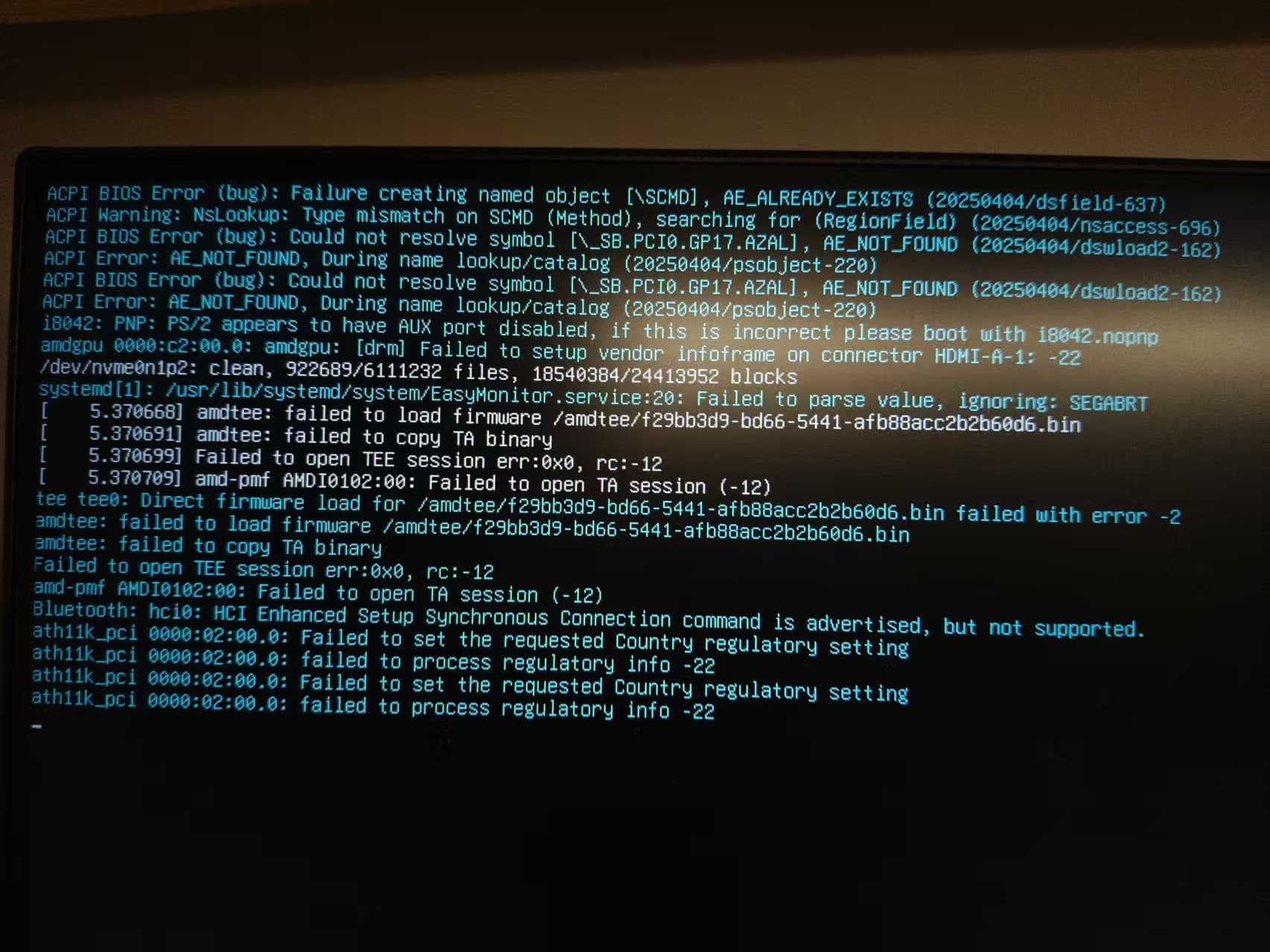
我用的是 Debian 的系统,启动的时候出现了下面的错误。 我的电脑有两个固态,一个安装了 windows,一个安装了 Debian,我在 windows 的那个固态上安装了双系统 nixos(发现图形版安装的时候有网络问题,无法解决于是搁置),当我把 nixos 删除重置为新分区的时候,重启启动 Debian,就出现了下面的错误. 询问 AI 无法解决问题,特此求助大佬。(因为是主力电脑,所以还没有进行网络搜索就发帖求助了,还请大佬谅解,我自己也会尽量网络搜索尝试自行解决的,希望有大佬可以指出一个方向)
ACPI BIOS Error (bug): Failure creating named object (\_SCMD), AE_ALREADY_EXISTS (20250404/dsfield-637)
ACPI Warning: NsLookup: Type mismatch on SCMD (Method), searching for (RegionField) (20250404/nsaccess-696)
ACPI BIOS Error (bug): Could not resolve symbol [\_SB.PCIO.GP17.A2AL], AE_NOT_FOUND (20250404/dswload2-162)
ACPI Error: AE_NOT_FOUND, During name lookup/catalog (20250404/psobject-220)
ACPI BIOS Error (bug): Could not resolve symbol [\_SB.PCIO.GP17.A2AL], AE_NOT_FOUND (20250404/dswload2-162)
ACPI Error: AE_NOT_FOUND, During name lookup/catalog (20250404/psobject-220)
18042: PNP: PS/2 appears to have AUX port disabled, if this is incorrect please boot with 18042.nopnp
amdgpu 0000:c2:00.0: amdgpu: [drm] Failed to setup vendor infofram on connector HDMI-A-1- -22
/dev/nvme0n1p2: clean, 922689/6111232 files, 18540384/24413952 blocks
systemd[1]: /usr/lib/systemd/system/EasyMonitor.service:20: Failed to parse value, ignoring: SEGABRT
[ 5.370668] amdtee: failed to load firmware /amdtee/f29bb3d9-bd66-5441-afb8acc2b2b60d6.bin
[ 5.370699] amdtee: failed to copy TA binary
[ 5.370699] Failed to open TEE session error:0x0, rc:-12
[ 5.370709] amd-pmf AMD10102:00: Failed to open TA session (-12)
tee teed: Direct firmware load for /amdtee/f29bb3d9-bd66-5441-afb8acc2b2b60d6.bin failed with error -2
amdtee: failed to load firmware /amdtee/f29bb3d9-bd66-5441-afb8acc2b2b60d6.bin
amdtee: failed to copy TA binary
Failed to open TEE session error:0x0, rc:-12
amd-pmf AMD10102:00: Failed to open TA session (-12)
Bluetooth: hci0: HCI Enhanced Setup Synchronous Connection command is advertised, but not supported.
ath11k_pci 0000:02:00.0: Failed to set the requested Country regulatory setting
ath11k_pci 0000:02:00.0: Failed to process regulatory info -22
ath11k_pci 0000:02:00.0: Failed to set the requested Country regulatory setting
ath11k_pci 0000:02:00.0: Failed to process regulatory info -22
what I had tried
我现在还对操作系统不太了解,无法解决 bug,于是我直接询问 DeepSeek,尝试了一下步骤
  # 修改GRUB配置
  sudo nano /etc/default/grub
  # 改为
  GRUB_CMDLINE_LINUX_DEFAULT="quiet acpi=noirq"
  # then
  sudo update-grub

  # 禁用有问题的服务
  sudo systemctl disable EasyMonitor.service 2>/dev/null || true

  # 安装缺失的固件
  sudo apt update
  sudo apt install firmware-amd-graphics firmware-atheros firmware-linux

  # 重建initramfs
  sudo update-initramfs -u
重启之后出现了新的报错, 同时笔记本电脑的键盘和触控板失效,外接鼠标和键盘可以使用
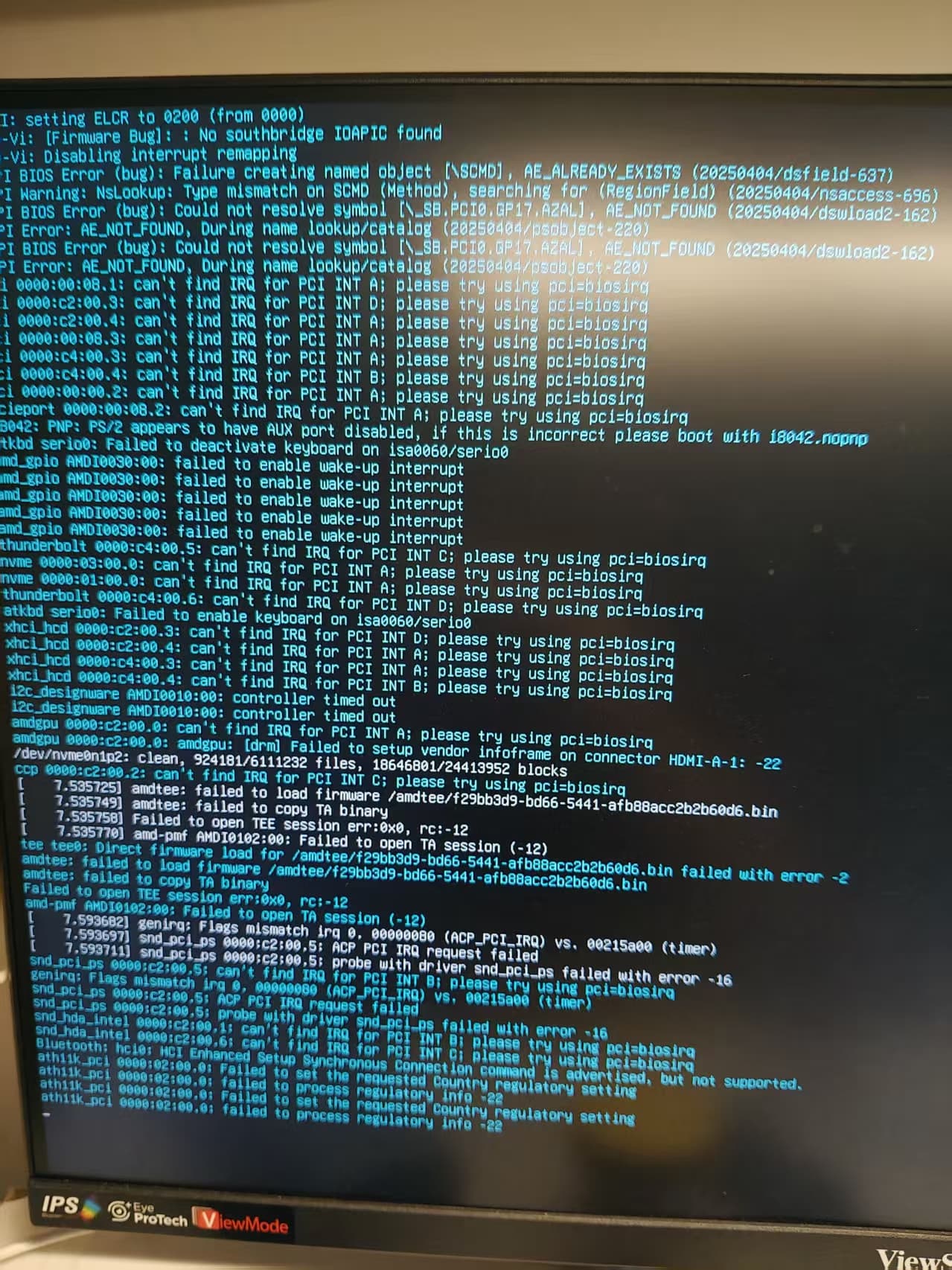
问题变成之前的样子,报错信息就不重复了
more information
- OS: Debian GNU/Linux forky/sid (forky) x86_64
- CPU: AMD Ryzen 7 7840HS (16) @ 5.14 GHz
- GPU: AMD Radeon 780M Graphics [Integrated]
- Memory: 5.36 GiB / 14.82 GiB (36%)