根据里面的讨论,可以到 python 虚拟环境的路径下去搜一个叫做 Ipython/core/ultratb.py 的文件,搜索 Terminal256Formatter 关键字,把上面一行
style = stack_data.style_with_executing_node(style, "bg:ansiyellow")
改成别的,然后再开 ipython/jupyter console 就可以了。
比如:
style = stack_data.style_with_executing_node(style, "bold underline")
效果如下:
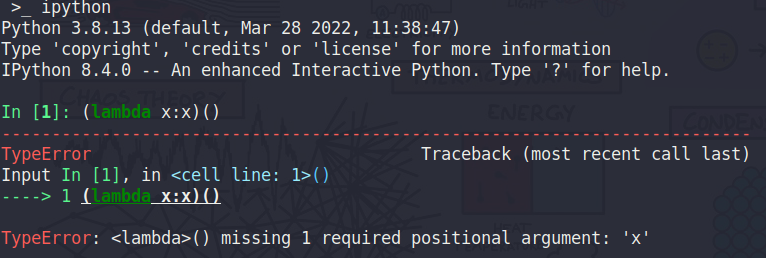
style = stack_data.style_with_executing_node(style, "bg:ansired") 效果:

这个是终端里运行的效果,emacs 里也差不多(根据调色板的设置,色调有所差异)