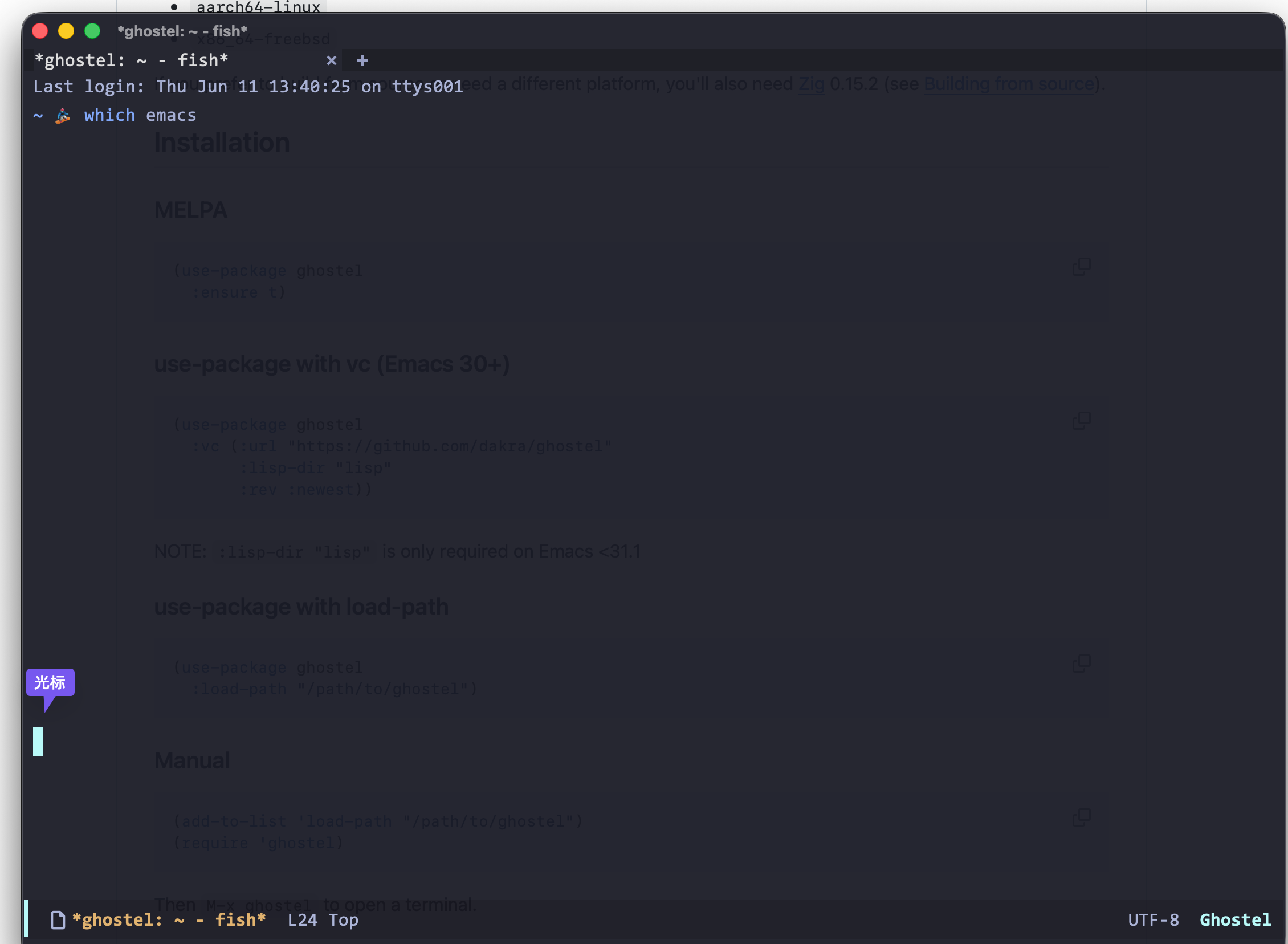
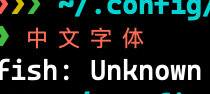
在 centaur emacs 中使用 ghostel,一切正常,就是汉字显示间距大、且不是配置字体。让 opencode自己帮着检查,报出两个问题:
- face-font-rescale-alist 设为 1.3 — 汉字被放大 30%,导致间距过大
- ghostel 使用 libghostty 渲染终端内容 — 通过 (face-attribute 'default :font) 获取字体,当前默认字体是 DejaVu Sans Mono(不含中文),所以中文使用系统 fallback 字体。
懒得手改,直接让 opencode 代劳,custom.el 修改后,中文字体显示正常!
wd1
22
你修改了啥?这个 fallback 的字体实在没法接受。
1.3是为了中英文对齐,不同的字体可能表现行为不一致,custom.el中用户可以自行定义字体。
确实爽,从没有想过 Windows 上能这么流畅的使用内置 terminal,感谢社区!
windows 下该如何配置?我折腾半天 (win11+doom emacs) 还是不行:
Debugger entered--Lisp error: (file-error "Spawning child process" "Invalid argument")
  make-process(:name "ghostel" :buffer #<buffer *ghostel*> :command ("/bin/sh" "-c" "stty -nl sane iutf8 -ixon erase '^?' rows 39 columns 81 2>/dev/null; printf '\\033[H\\033[2J'; exec \"D:/scoop/apps/emacs/current/libexec/emacs/30.2/x86_64-w64-mingw32/cmdproxy.exe\"") :connection-type pty :file-handler nil :filter ghostel--filter :sentinel ghostel--sentinel)
  ghostel--spawn-pty("D:/scoop/apps/emacs/current/libexec/emacs/30.2/x86_64-w64-mingw32/cmdproxy.exe" nil 39 81 "-nl sane iutf8 -ixon erase '^?'" ("EMACS_GHOSTEL_PATH=d:/pinadev/.config/emacs/.local/straight/build-30.2/ghostel/") nil)
  ghostel--start-process()
  ghostel--init-buffer(#<buffer *ghostel*> "*ghostel*")
  ghostel(nil)
  funcall-interactively(ghostel nil)
  command-execute(ghostel record)
  execute-extended-command(nil "ghostel" nil)
  funcall-interactively(execute-extended-command nil "ghostel" nil)
  command-execute(execute-extended-command)
低级错误… module 是从 kiennq 下的,结果 package 忘了指定了 
aoaeoe
28
请教下,emacs-plus31使用ghostel输入的时候,光标没有跟随在命令提示符后面,不能删除已经输入的字符,提示:
Copy mode: Press any key to exit
Read-only mode exited
Beginning of buffer [17 times]
Copy mode: Press any key to exit
funcall-interactively: Buffer is read-only: #<buffer *ghostel: ~/Desktop - fish*> [9 times]
Beginning of buffer [24 times]
...
wd1
29
我用 evil,所以我输入 i 进入 insert mode,然后开始输入,会自动挪到输入的地方。我不知道不用 evil 的话是怎么弄的。
aoaeoe
30
问题是设置了line-spacing / line-height,作者现在应该做了兼容。