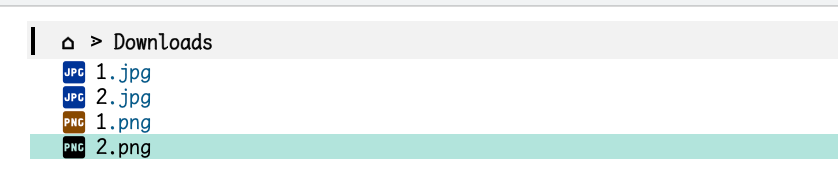
dirvish能否内置支持设置较小的字体来显示? 求助:如何给dirvish设置较小的字体?
1 个赞
请问通过 tramp 在 remote 上使用 dirvish,出现了图片无法渲染,代码没有高亮的现象(在本地则没有这种现象):

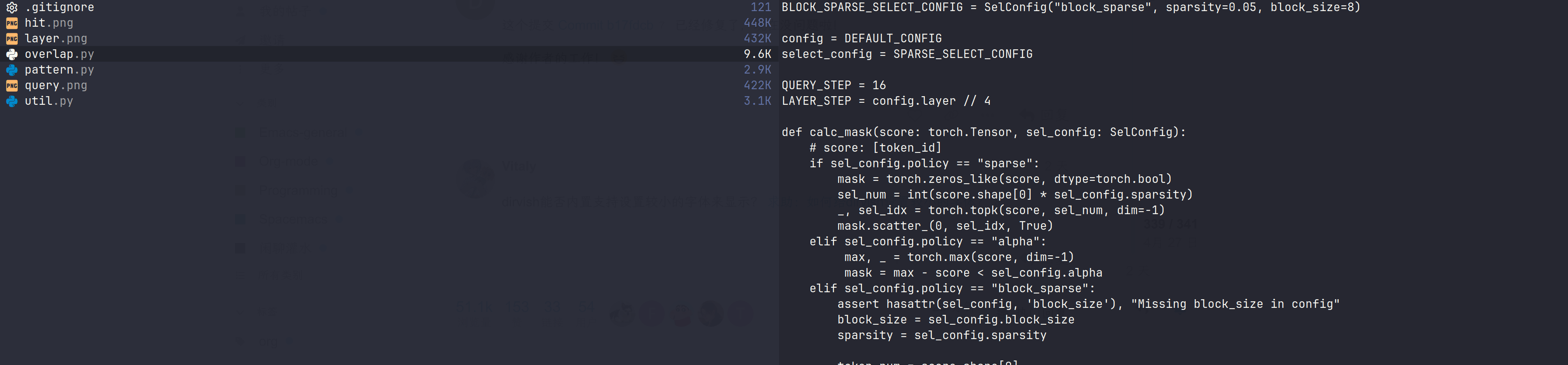
目前我的 tramp 配置
(use-package tramp
  :config
  (setq tramp-default-method "ssh"
        tramp-auto-save-directory (no-littering-expand-var-file-name "tramp-autosaves/")
        tramp-backup-directory-alist backup-directory-alist
        remote-file-name-inhibit-cache 60 ; 加速,允许 cache
        remote-file-name-inhibit-locks t ; 加速,不会使用文件锁
        tramp-verbose 0 ; 加速,更少的 tramp 信息
        vc-handled-backends '(SVN Git) ; 加速,禁用一些版本控制后端
        )
  ;; (setq tramp-ssh-controlmaster-options
  ;;       "-o ControlMaster=auto -o ControlPath=tramp.%%C -o ControlPersist=no -t")
  ;; 只需要输入一次密码 https://www.reddit.com/r/emacs/comments/3liwm7/is_it_possible_to_configure_tramp_such_that_i/
  (setq tramp-use-ssh-controlmaster-options nil)
  (setq tramp-chunksize 2000)
  ;; 似乎是支持 remote 启动其他进程的
  (connection-local-set-profile-variables
   'remote-direct-async-process
   '((tramp-direct-async-process . t)))
  (connection-local-set-profiles
   '(:application tramp :protocol "ssh")
   'remote-direct-async-process)
  )
我在 server 上只安装了 magick ,请问还需要别的依赖吗?
目前是这样的。主要是考虑到 tramp 的连接速度问题,我试过实时打开文件作为预览,移动光标会卡 Emacs,体验非常差 (卡顿时长和服务器延时正相关)。所以现在只是依靠一个非常简陋的 shell 命令来提供基础的文本预览,丑是丑,但好歹是异步的。高亮的问题也许可以依靠 bat + ansi-color.el 解决; 实时远程图片预览估计比较困难,短期不好解决。一个临时办法是用 dired-find-file-other-window 在预览窗口直接打开这个图或者任何文件,然后 other-window 切回来。
1 个赞
这里的 mtn dispatcher 没有考虑到 cache 命名的变化,导致与之前 dirvish cache 命名规则变化不兼容。更新了一下 dispatcher,暂时没遇到什么问题,我先测试一段时间
(dirvish-define-preview video-mtn-test (file ext preview-window)
  "Preview video files on MS-Windows.
Require: `mtn' (executable)"
  :require (dirvish-mtn-program)
  (when (member ext dirvish-video-exts)
    (let* ((width (dirvish-media--img-size preview-window))
           (height (dirvish-media--img-size preview-window 'height))
           (cache (dirvish--img-thumb-name file width ".jpg"))
           (path (dirvish--get-parent-path cache))
           (cache-base (file-name-base cache)))
      (if (file-exists-p cache)
          `(img . ,(create-image cache nil nil :max-width width :max-height height))
        `(cache . (,dirvish-mtn-program "-P" "-i" "-c" "1" "-r" "1" "-O" ,path ,file "-x"
                                        ,cache-base "-o" ".jpg" "-w"
                                        ,(number-to-string width)))))))


(setq dirvish-preview-dispatchers '(video-mtn-test image gif audio epub archive font pdf))
大佬,如何才能使用C-x C-f打开目录后默认就是三栏式显示啊,也就是左边父目录,中间当前目录,右边预览,我现在用C-x C-f打开目录后只有当前目录,得手动dirvish-layout-toggle才能到三栏式
C-x C-f 似乎是打开文件?。C-x d 才是打开目录吧。可以试试这个:
(defun my/dirvish-open-directory ()
  (interactive)
  (let ((dir (read-directory-name "Directory: ")))
    (dirvish dir)))

;; 替换 C-x d 的绑定
(global-set-key (kbd "C-x d") #'my/dirvish-open-directory)
请问大家有遇到使用dirvish-side打开当前的正打开的同一个文件会出现dirvish-side变形的问题吗?如果再打开别的文件貌似就会变回。看了message也没有报错。其他对于dired的插件我也没有安装的。
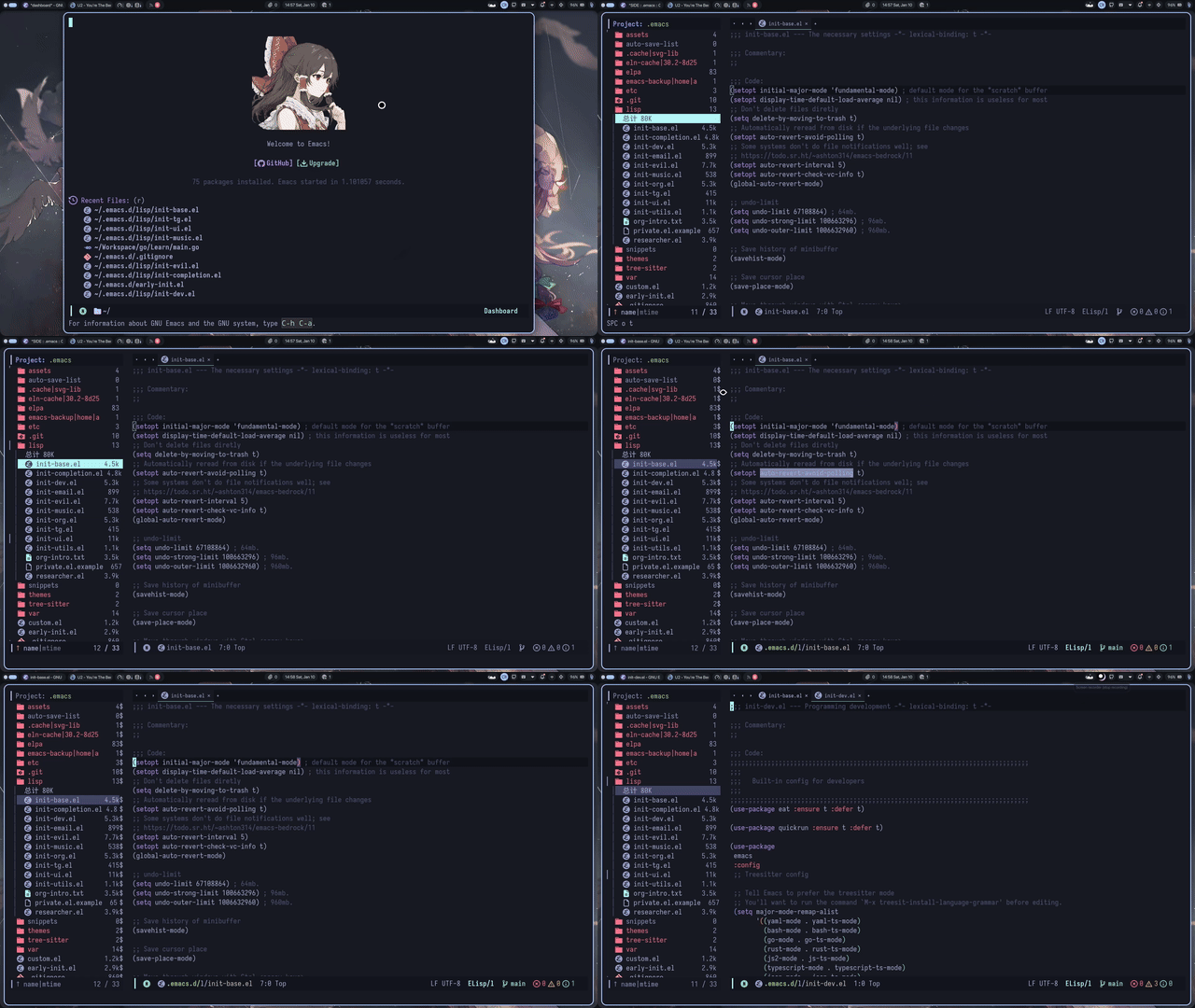
文件名以数字序号开头,每个同名文件有多个扩展名。按文件名排序,扩展名则乱,按扩展名排序,文件名则序号乱。我是想把扩展名相同的文件集中在一起,然后按文件名再排序,这种要求怎么做到呢?(只是临时要求,不是每次都这样)